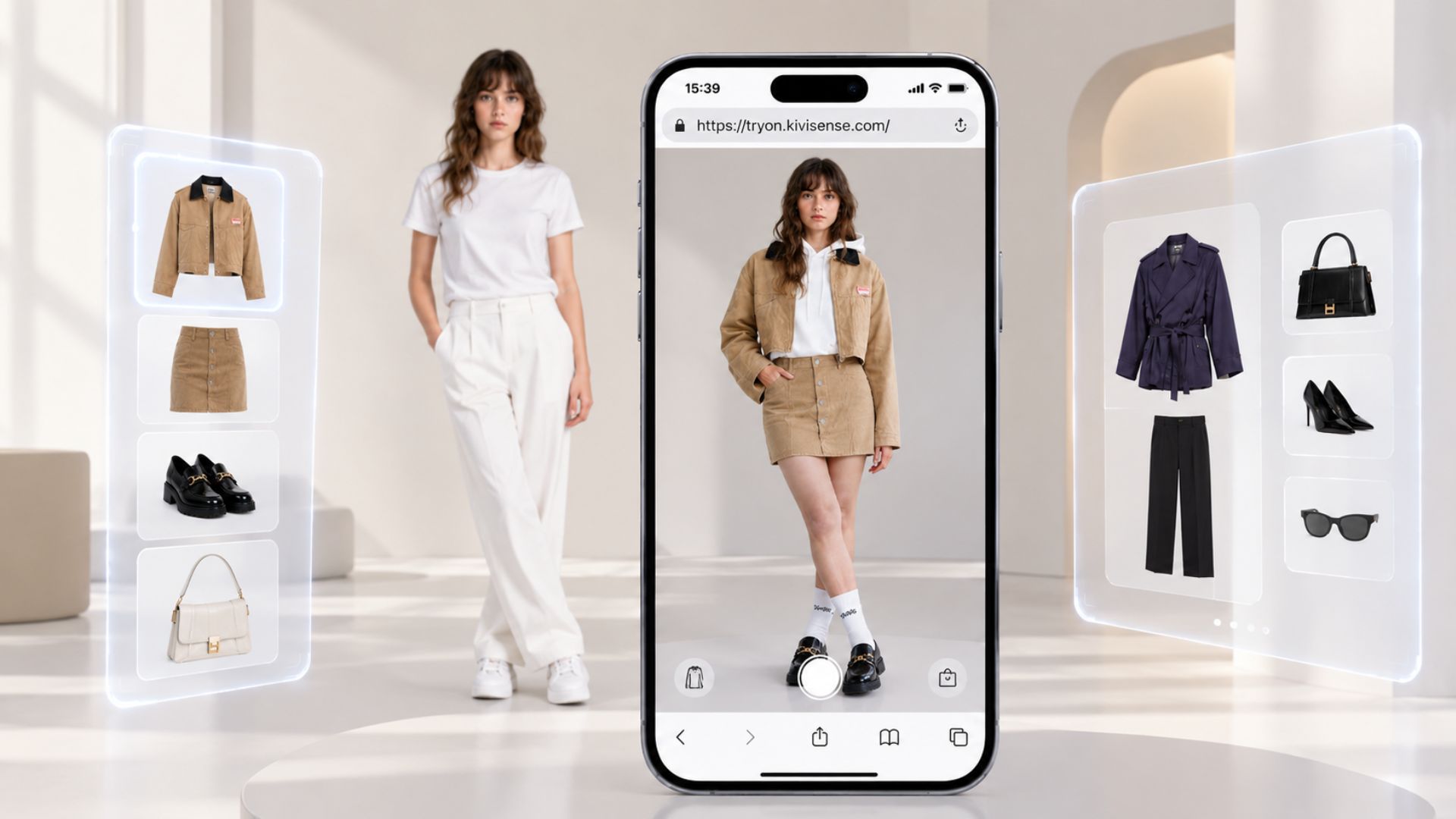
What Is Virtual Try-On Technology
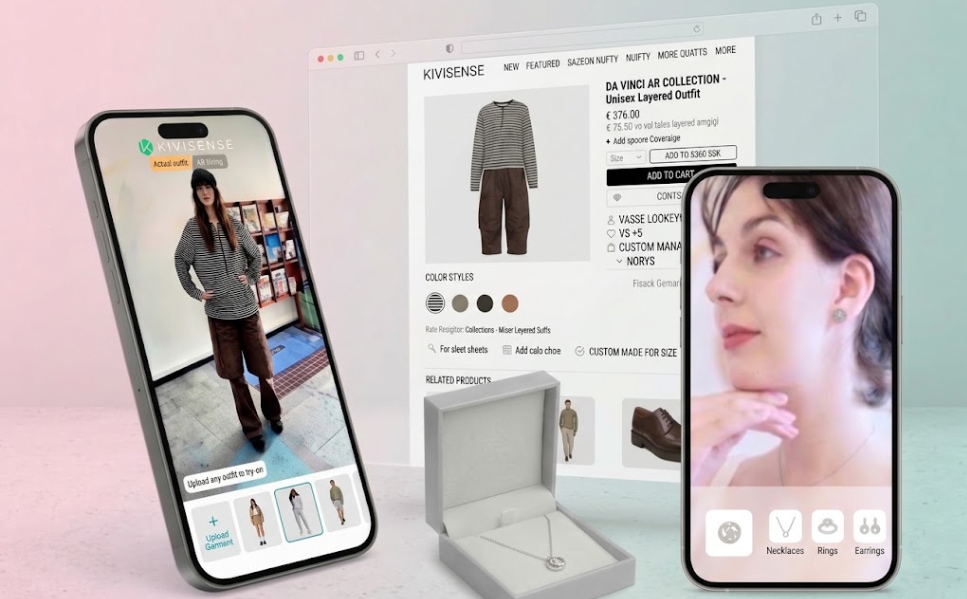
Virtual try-on is the technology that enables shoppers to preview how clothes, glasses, shoes, jewelry, etc. look on them without physically putting them on.
The traditional way to virtually try products on relies on AI photo generation, producing a flawless yet static result that feels stiff. Newer technologies have introduced different types of virtual try-on.
3 Types of Virtual Try-On
Basically, there are 3 emerging modes of virtual try-on: live try-on, AR try-on, and photo try-on. Each mode is powered differently and produces a different kind of try-on experience.
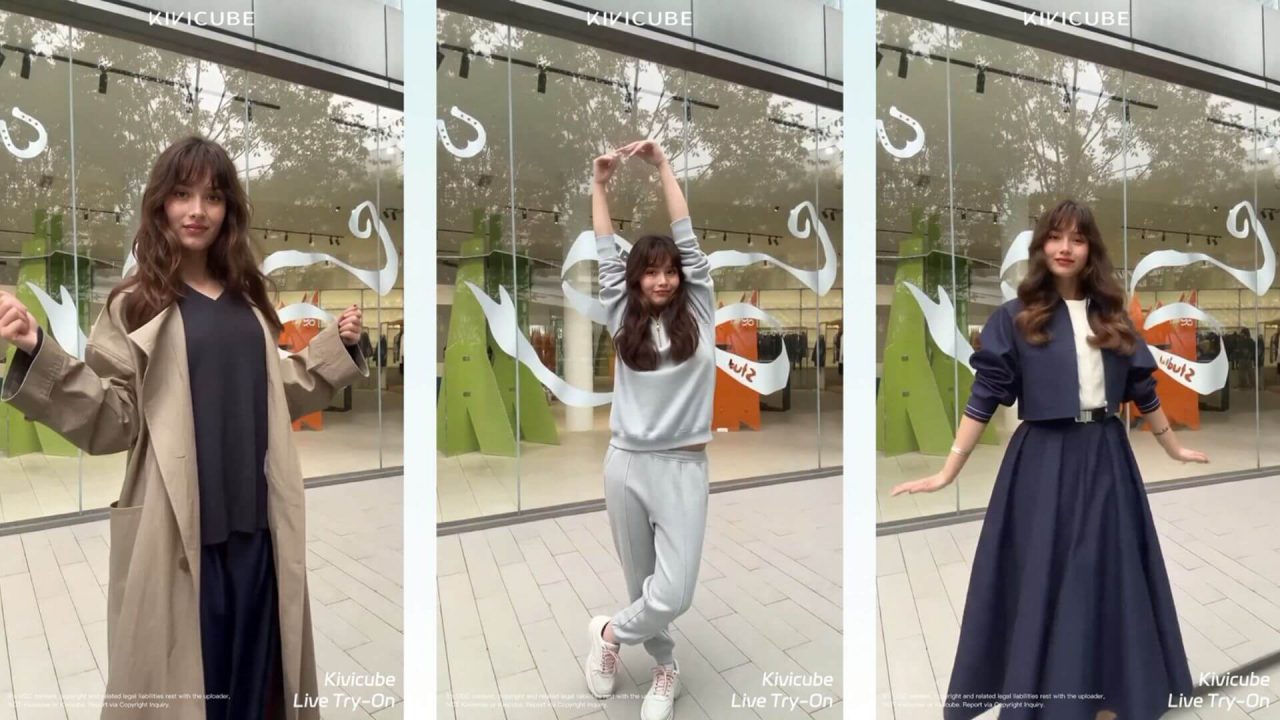
1. Live Try-On
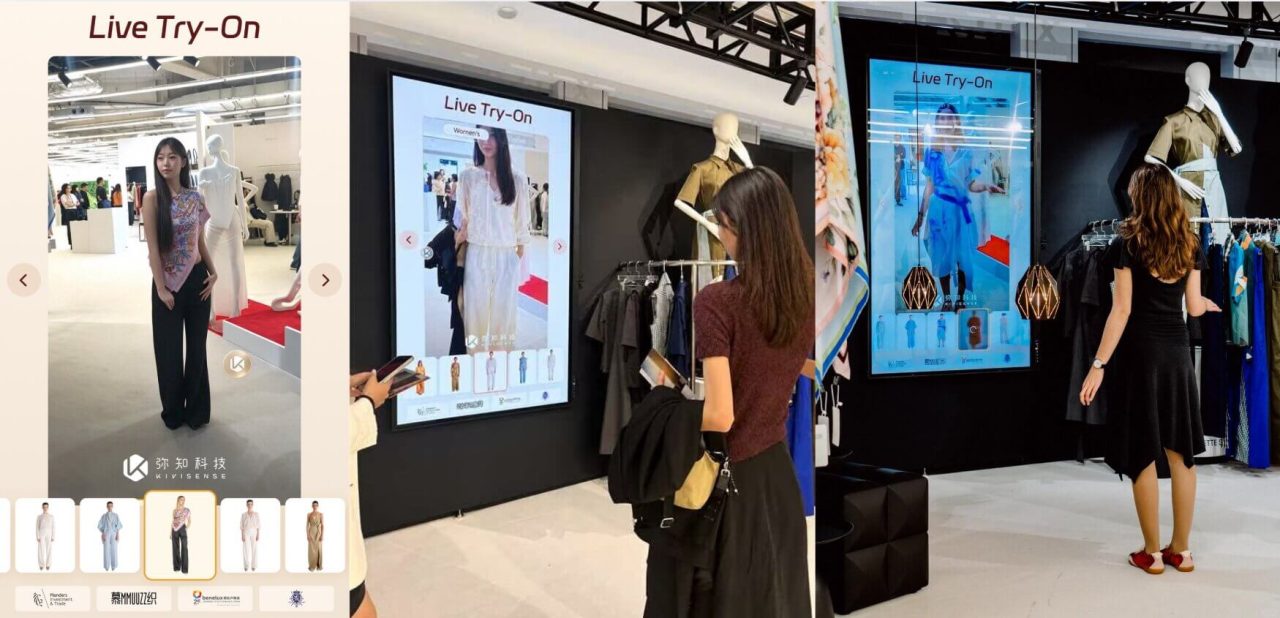
Live try-on offers a real-time fitting experience. The product being “worn” moves naturally as shoppers raise their arms or shift their posture.
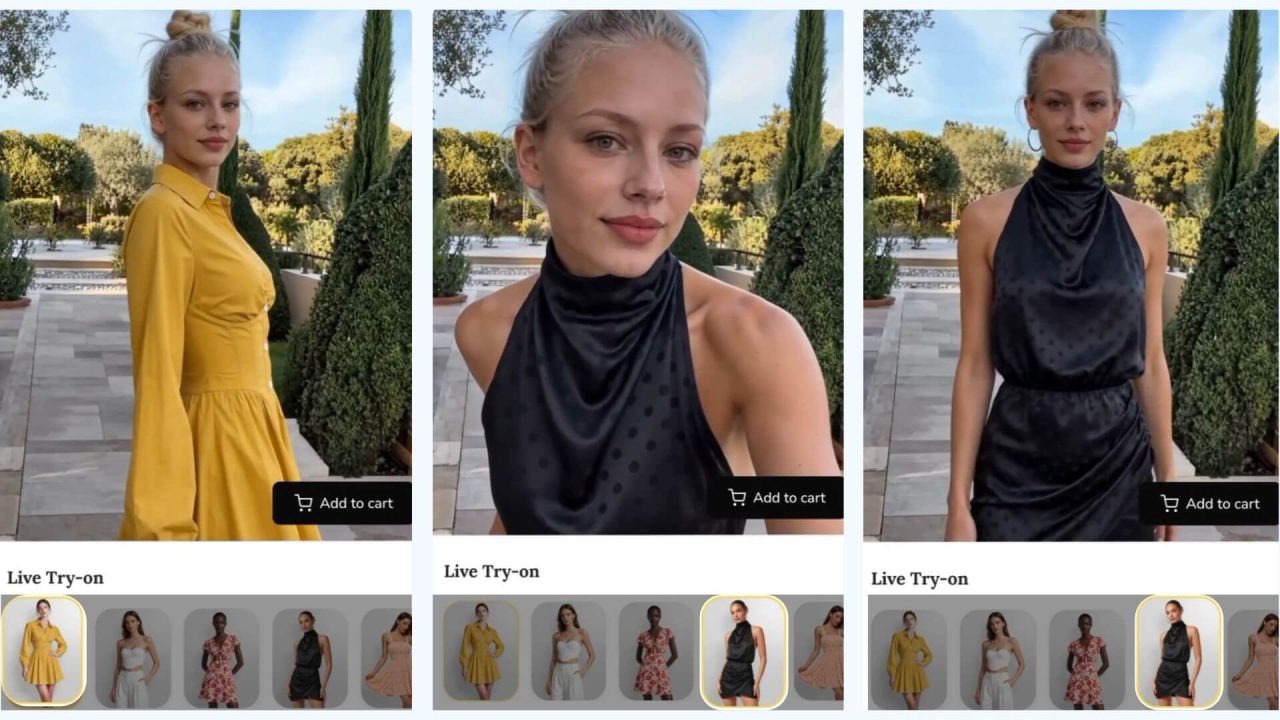
It captures your camera feed in real time and uses AI to detect your body and movement, while rendering the selected item straight from product images rather than a pre-built 3D model.
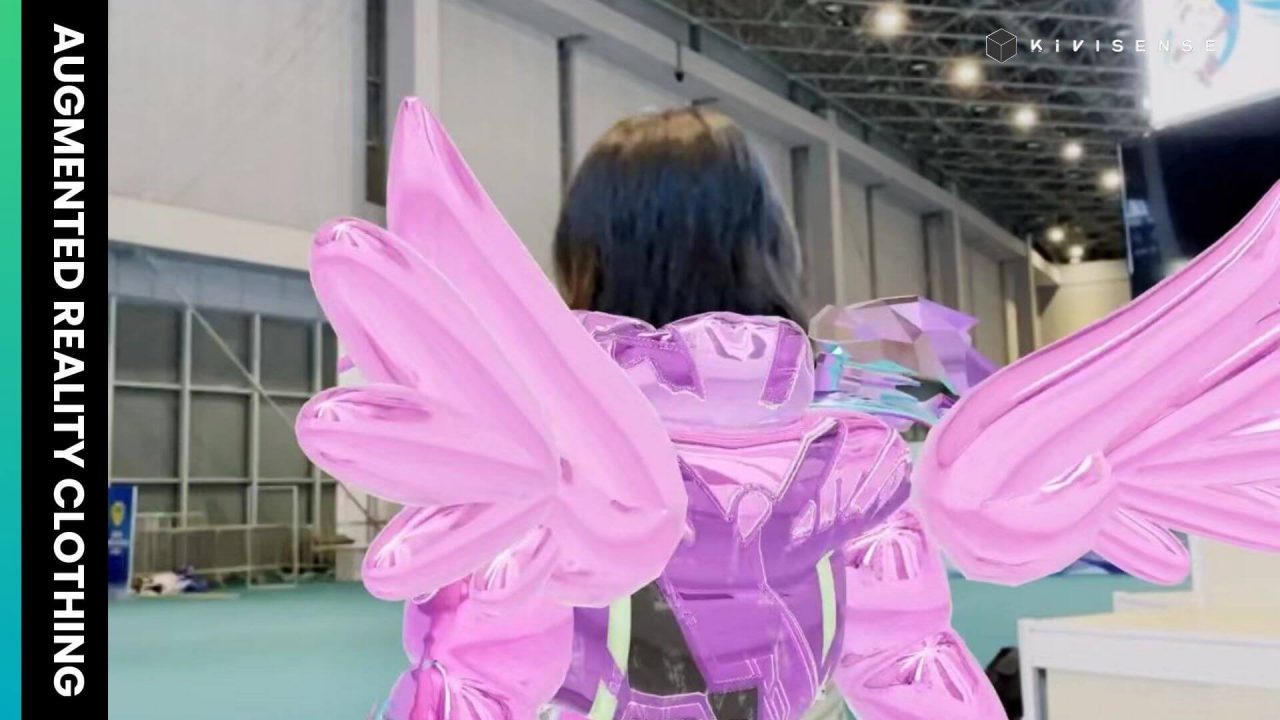
2. AR Try-On
While still in real time, AR try-on overlays a pre-built 3D model of the product onto the shopper’s body through the camera. The item stays anchored as the shopper moves, which works well for rigid products like glasses or shoes but less so for clothing, where fabric draping and folds change constantly.
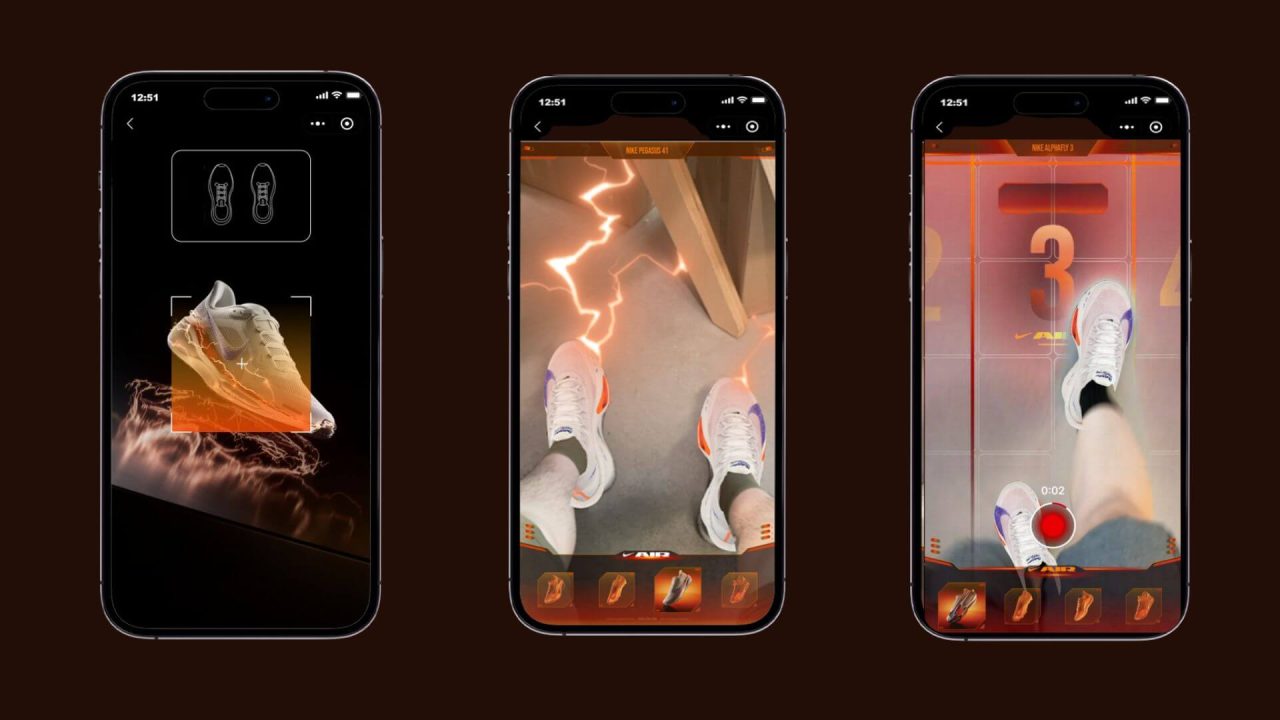
Augmented reality try-on is driven by AR tracking and a pre-built 3D asset for each product. The system follows body or facial features continuously and uses a physics engine to handle how light and material behave on the model.
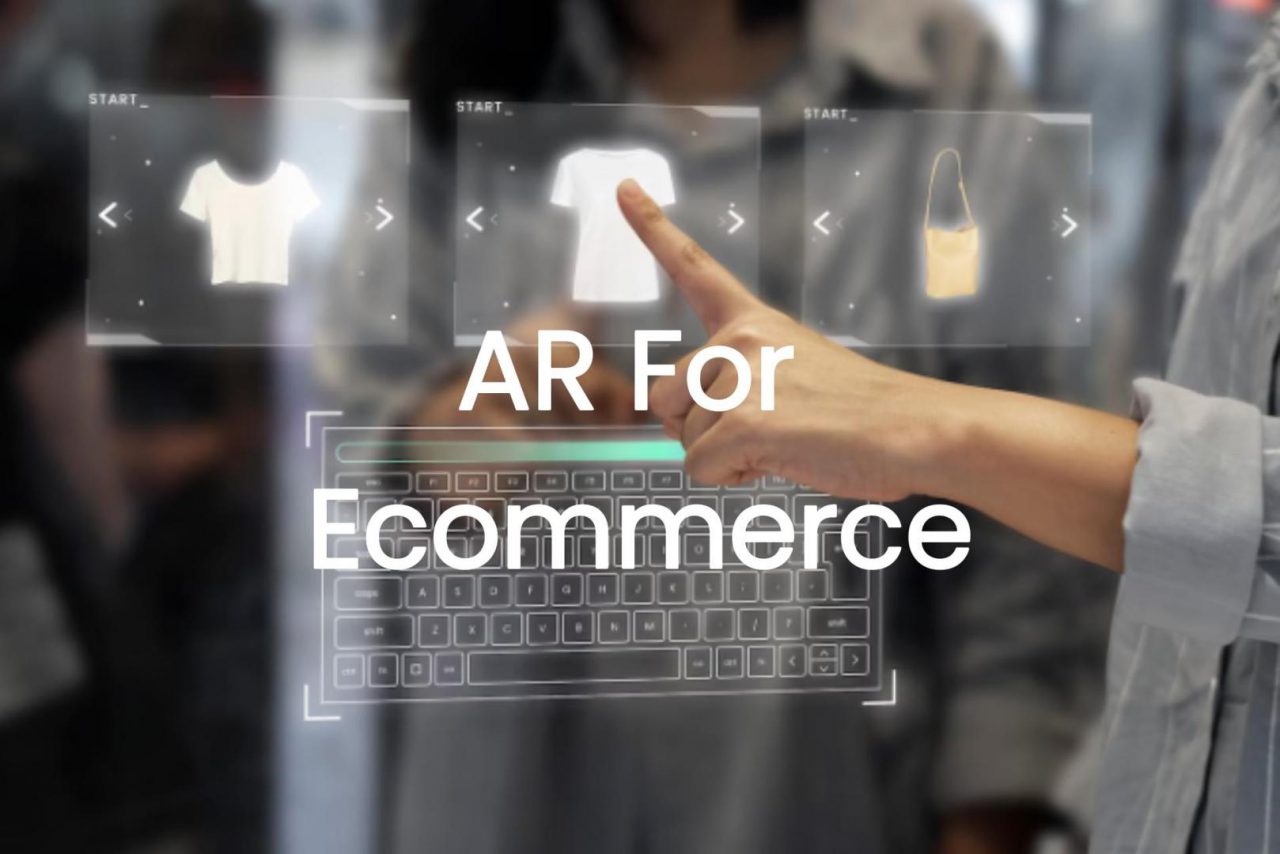
3. Photo Try-On
Photo try-on lets shoppers upload a portrait and see a static image of themselves wearing the selected item. The result is a post-processed picture rather than an interactive session.
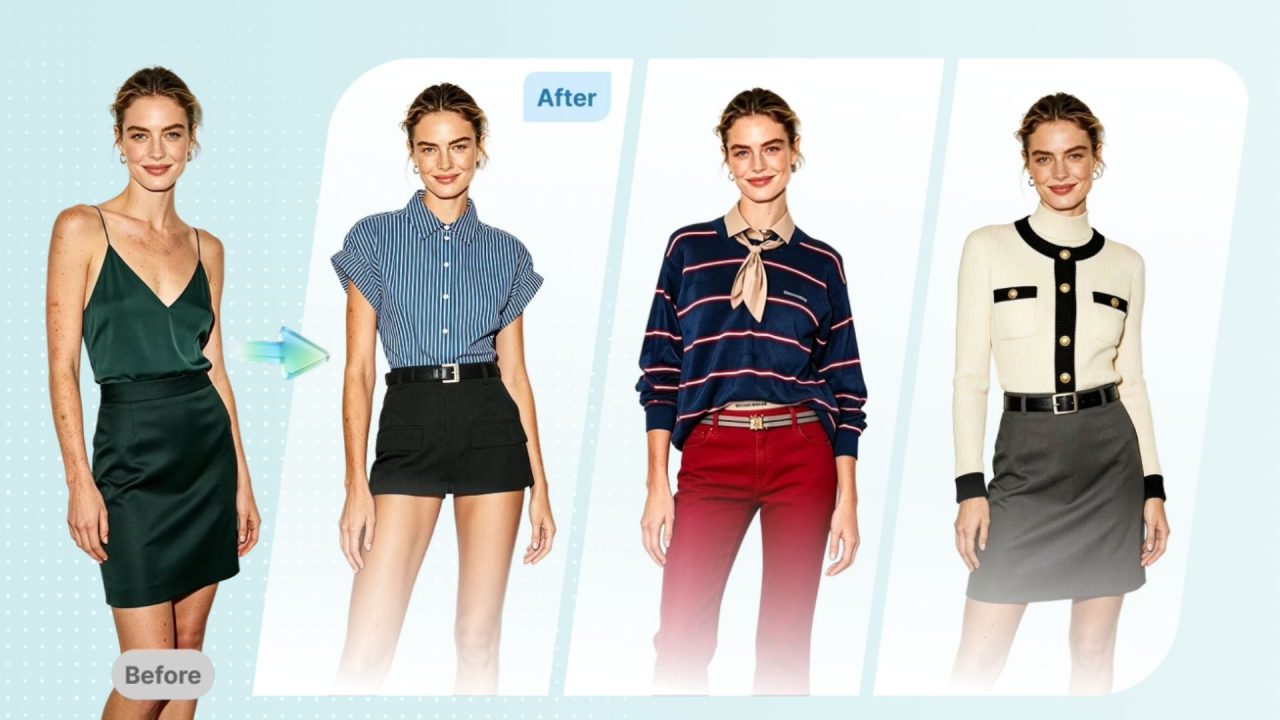
With no 3D model and no live camera feed involved, the static result is driven by AI image generation. Photo try-on composes the shopper’s uploaded photo and a product image into a single output where the item sits naturally on the body.
How Virtual Try-On Matters in E-commerce
High return rates largely come down to a visualization gap. When shopping online, consumers can only view a flat product image with no real sense of how it will look once worn. Virtual try-on addresses this by letting shoppers see how an item would look on them before they commit to buying, rather than finding out it does not suit them only after the parcel arrives.
Market data backs up this shift. Shopify’s AR Quick Look is now available across more than 180,000 online stores, and Zalando has taken its virtual fitting room beyond early pilots into a full-scale European rollout. According to a Mordor Intelligence report, the global virtual try-on market is valued at $15.18 billion in 2025 and is projected to reach $48.1 billion by 2030, representing annual growth of around 26%. From North America to Europe, the technology is spreading in much the same way e-commerce infrastructure typically does.

Retailers that have already deployed virtual try-on are seeing measurable results. A McKinsey study covering 14 apparel brands found return rates dropped by 25% to 40%. On the conversion side, research by BoF and DressX found that those who used virtual try-on converted at a rate 50% higher than those who did not. These all point to the same conclusion: virtual try-on tackles both the hesitation shoppers feel before buying and the disappointment that can follow once an item arrives.
Integrating Virtual Try-On with Your E-commerce Stack
So how do you actually bring virtual try-on to your online store? The integration path is shorter than most teams expect. Kivisense gives you a virtual try-on e-commerce integration that works on both e-commerce platforms like Shopify and your own product web pages. Shoppers can then try your products on in real time, which greatly lifts engagement and moves more of them toward checkout.
Here’s a five-step quick setup for clothes try-on integration, powered by our Kivicube platform.
Step 1. Click here to create a live try-on scene for your clothes.
Step 2. Upload the garment, select the real-time try-on duration, and click “Start Now”.
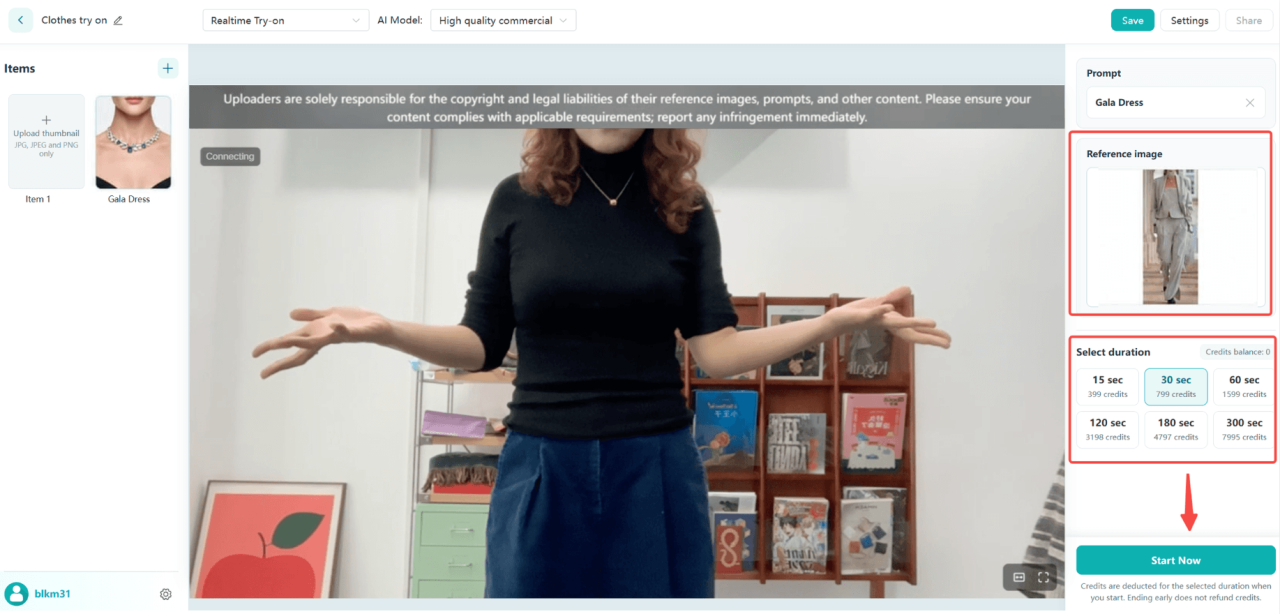
Step 3. Now you can try the garment on in real time! Raise an arm or turn your body to see how it follows. Click Save once you’re happy with the result.
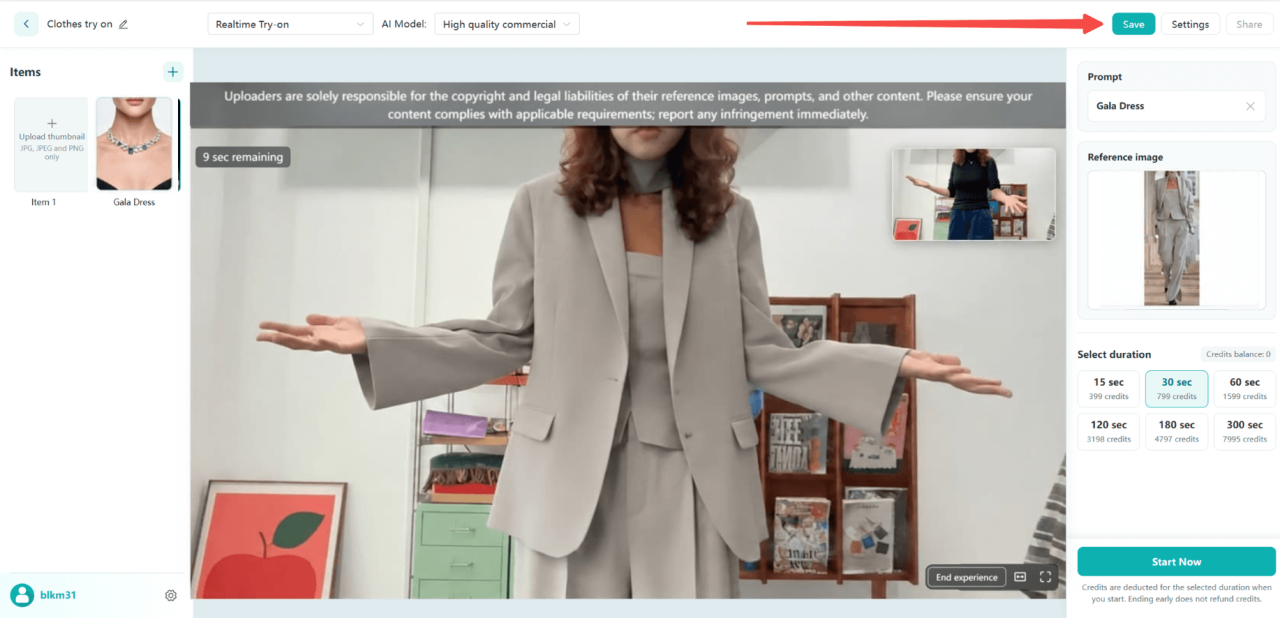
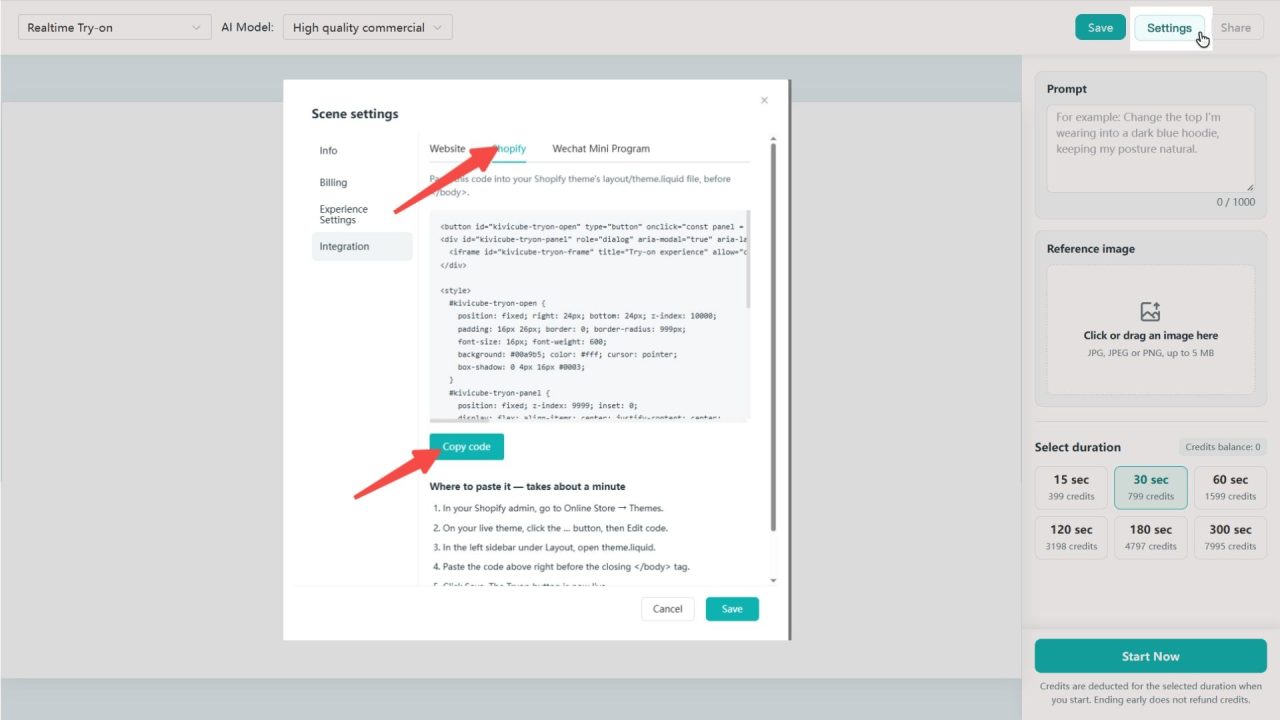
Step 4. Open “Settings” in the top right corner, go to Integration, choose your platform such as Shopify, and copy the code.
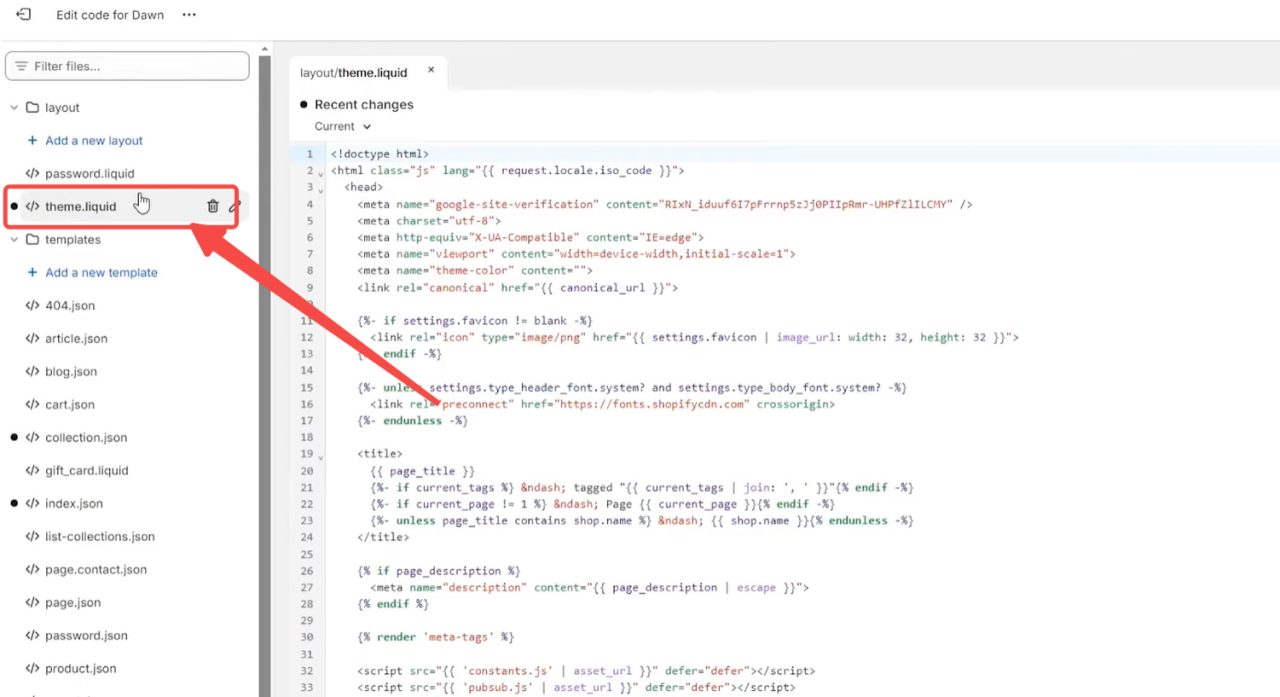
Step 5. In your Shopify admin, go to Online Store > Themes. Click “…” on your current theme, select “Edit code”, open layout/theme.liquid, paste the code before </body>, and save.
The same workflow applies to every category covered earlier, so you can get your products try-on ready the same way. Set up your first virtual try-on scene and see it live in your store!
Why Retailers & Brands Choose Kivisense Virtual Try-On
Kivisense has focused on virtual try-on for years, and that focus shows in the brands that have trusted it. From handbags and sneakers to fine jewelry, we have cooperated with leading brands like Burberry, Gucci, Tiffany & Co., and many more to deliver virtual try-on experiences that drove strong marketing results.
Recently, we worked with MMUUZZ, a Belgian clothing brand, on a smart mirror fitting room built on our real-time AI clothes try-on. The collaboration brings try-on into the physical store and connects what shoppers see online with what they experience in person.
If you are exploring virtual try-on for your own catalog, we are happy to help you design a solution that fits your products and your sales channels.